Your Mac's health,
at a glance.
Monitor CPU, memory, storage, battery, temperature, and network — all from your menu bar. Clean junk, uninstall apps, find duplicates, and keep your Mac running fast.
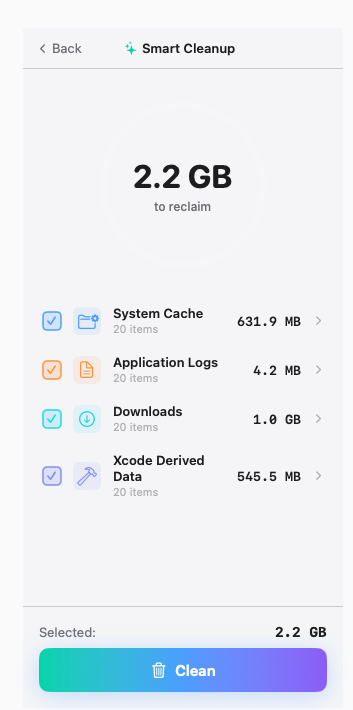
Real-time system metrics
Six dashboards in your menu bar. One click to drill down. Updated every second.
CPU Monitor
Per-core usage, system vs user breakdown, top processes, and live history sparkline. Spot CPU hogs the moment they spike.
Memory
Active, wired, compressed breakdown with pressure indicator and one-click RAM purge.
Storage
Donut chart with category breakdown — apps, docs, system. Direct cleanup access.
Battery Health
Charge level, cycle count, condition badge, and accurate time remaining.
Network
Bidirectional sparkline with live upload/download speeds and session totals.
Temperature & Fans
CPU and GPU temperatures via SMC, fan RPM monitoring with visual gauges.
Eight tools that replace seven apps
Cleanup, uninstall, organize, and protect — all included with Pulse Pro. Free.
Smart Cleanup
Scan and remove caches, logs, trash, and temporary files in one click.
Large Files
Find files over 50 MB across your entire disk, sorted by size.
App Uninstaller
Complete removal including app support files, caches, and preferences.
Space Lens
Visual treemap showing exactly what's eating your disk space.
Maintenance
Free RAM, flush DNS cache, rebuild Spotlight index, and more.
Login Items
See and disable apps that auto-launch when your Mac starts up.
Privacy Cleaner
Clear browser history, cookies, and tracking data across all browsers.
Duplicate Finder
Identify identical files by content hash, not just filename.
See it work
Real screenshots from Pulse Pro running on macOS. No mockups, no marketing fluff.
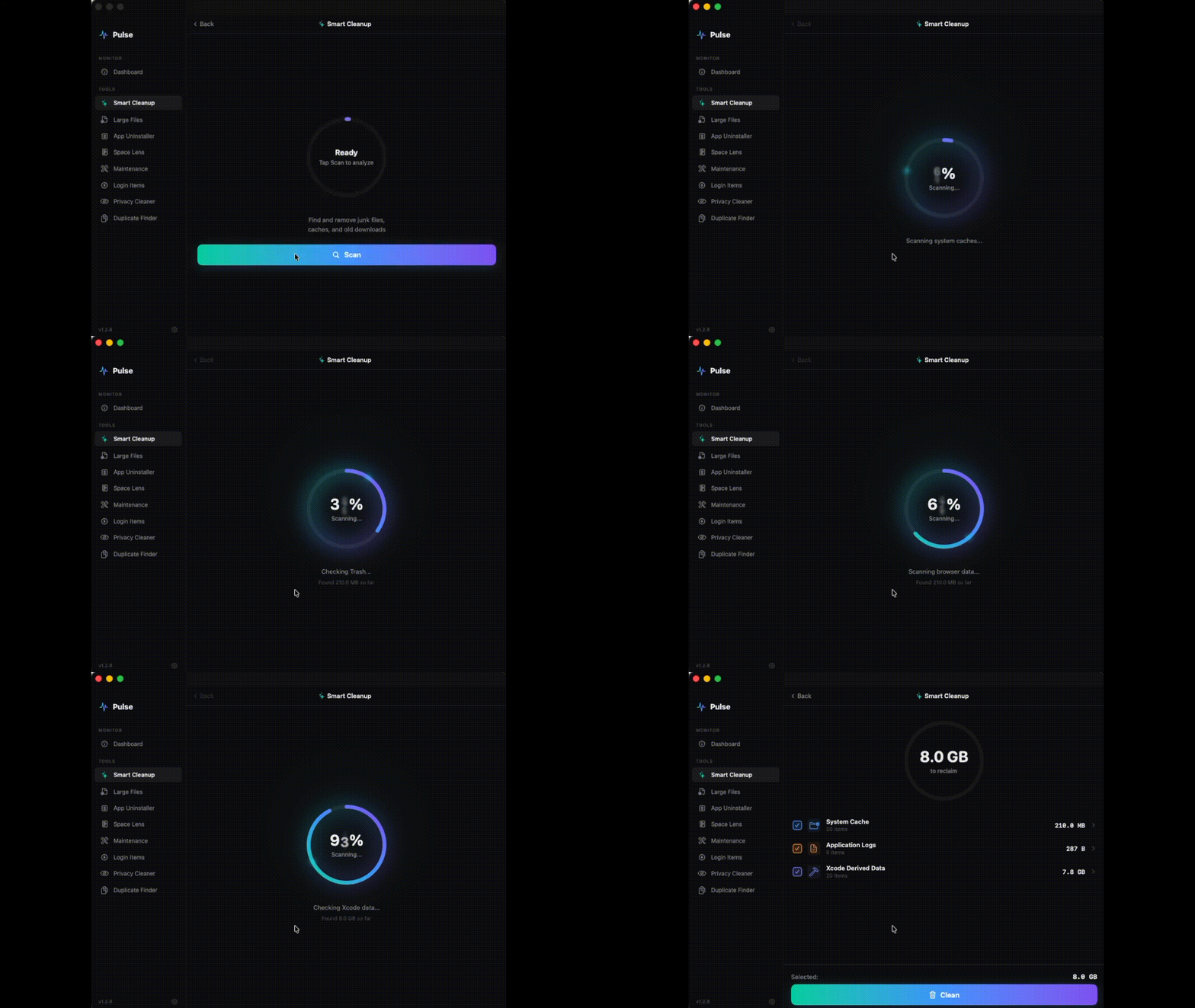
Find junk in seconds
Scans system caches, app logs, downloads, and developer data. Pick what to clean and reclaim gigabytes with one click.
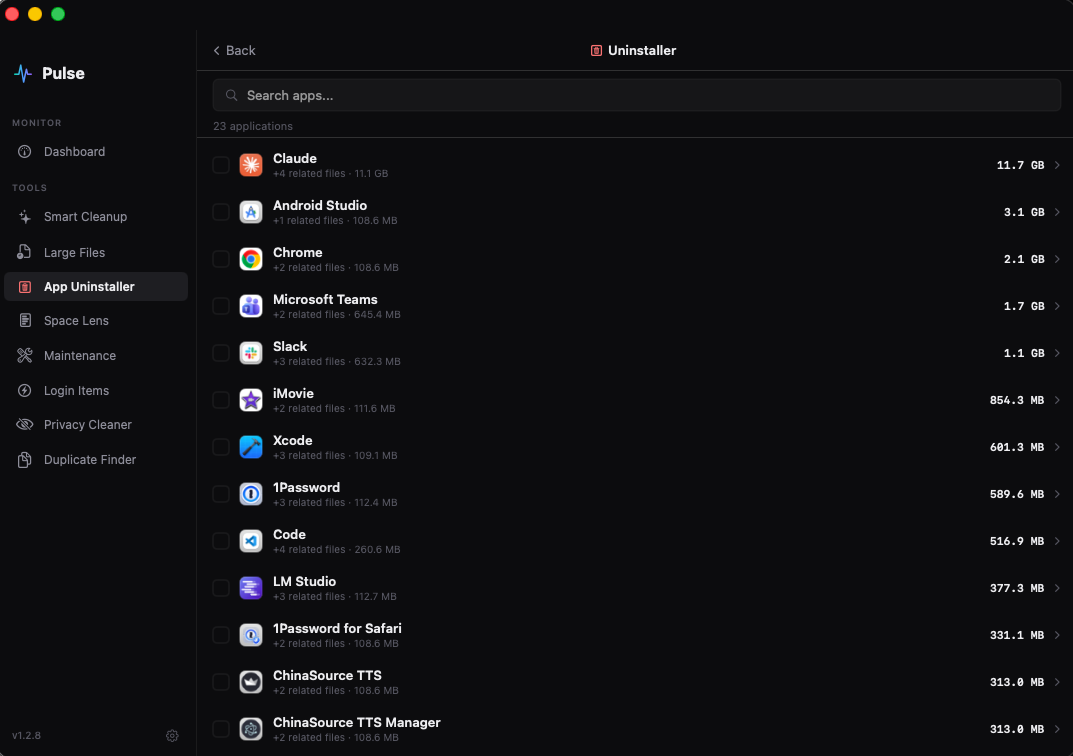
Remove apps completely
Drag-to-trash leaves orphan files behind. Pulse finds and removes every related cache, preference, and support file.
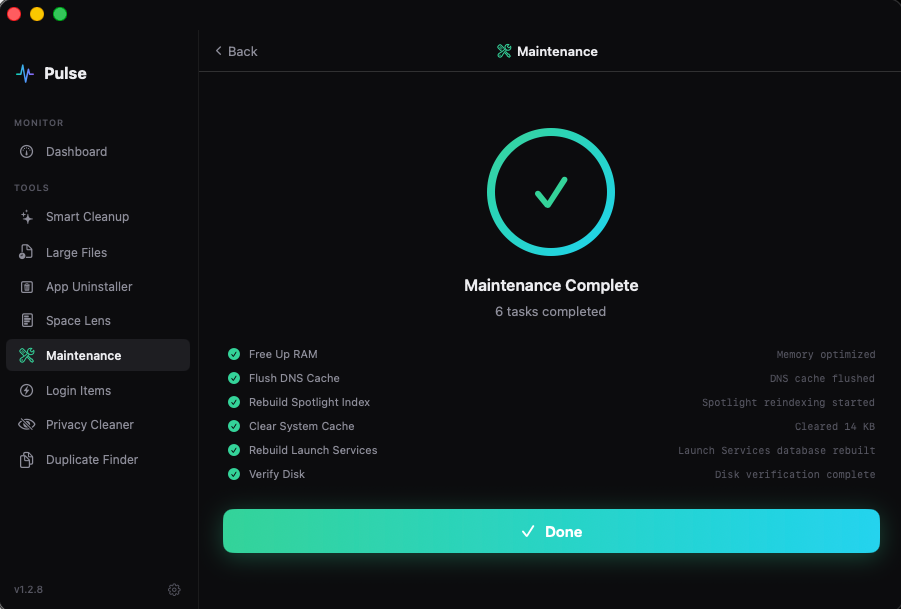
One-click tune-up
Free RAM, flush DNS, rebuild Spotlight, verify disk — six maintenance tasks that normally need Terminal, all from a button.
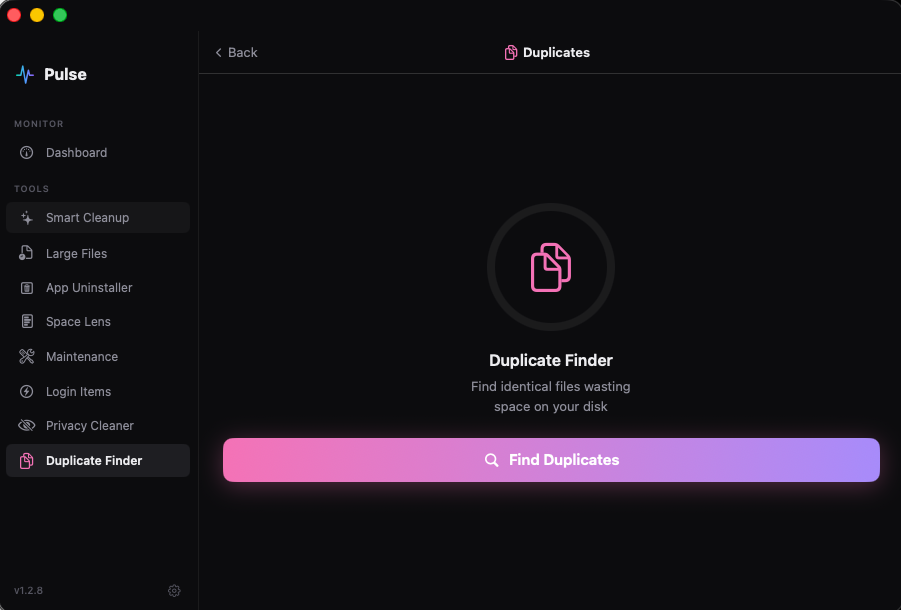
Find identical files by content
Compares files by hash, not just filename. Catches duplicates even when they're renamed or in different folders.
Both versions, both free
Lite is on the App Store for monitoring only. Pro is direct download with full toolset.
| Feature | Pulse LiteMac App Store | Pulse ProDirect Download |
|---|---|---|
| CPU, Memory, Storage monitoring | ||
| Battery & Network monitoring | ||
| Menu bar display modes | ||
| Desktop widgets | ||
| Threshold alerts | ||
| Temperature & Disk I/O | ||
| Smart Cleanup | ||
| App Uninstaller | ||
| Large Files & Duplicate Finder | ||
| Space Lens | ||
| Maintenance tools | ||
| Privacy Cleaner & Login Items | ||
| Price | Free | Free |
Your data stays on your Mac
Pulse does not collect, store, or transmit any personal data. No file names, no browsing history, no passwords — nothing leaves your Mac. All monitoring and cleanup operations run 100% locally. Optional anonymous usage analytics can be disabled in Settings.
Read our Privacy Policy →Common questions
Is Pulse really free?
Yes, both Pulse Lite and Pulse Pro are completely free. No subscriptions, no ads, no hidden costs. We make money from optional anonymous analytics partnerships, but you can opt out.
What macOS versions are supported?
Pulse requires macOS 14 Sonoma or later. It runs natively on Apple Silicon Macs (M1, M2, M3, M4) for maximum performance and battery efficiency.
Why are there two versions?
Apple's App Store requires sandboxing, which prevents system-level features like file cleanup and app uninstalling. Pulse Lite is a monitoring-only version for the App Store. Pulse Pro is downloaded directly and has full access to all tools.
Is Pulse safe? Does it collect my data?
Pulse collects only anonymous usage analytics (which you can disable in Settings). No personal data, no file contents, no browsing history is ever sent. All cleanup operations are performed locally on your Mac.
Can I have both Lite and Pro installed?
You can, but you don't need to. If you install Pro, it will prompt you to remove Lite since Pro includes everything Lite has, plus the cleanup and optimization tools.
Keep your Mac healthy.
Free to download. No subscription. No data collection. Just a fast, focused tool.
Download Pulse Pro for macOS